Water Drink: a detailed look at how the hydration tracking app works
Details on onboarding, home screen, exercise-based goal boosts, favorites, achievements, notifications, settings, tracking, and the Android widget of the Water Drink (Hidratação Diária) app.
Level: Beginner | Reading Time: 4 min
In the previous post I introduced Water Drink, the Hidratação Diária project, a mobile app built with React Native + Expo to track water intake throughout the day. In this article I go into detail on each feature, based on the project's README.
Full source code at: https://github.com/marcelo3macedo/water-drink
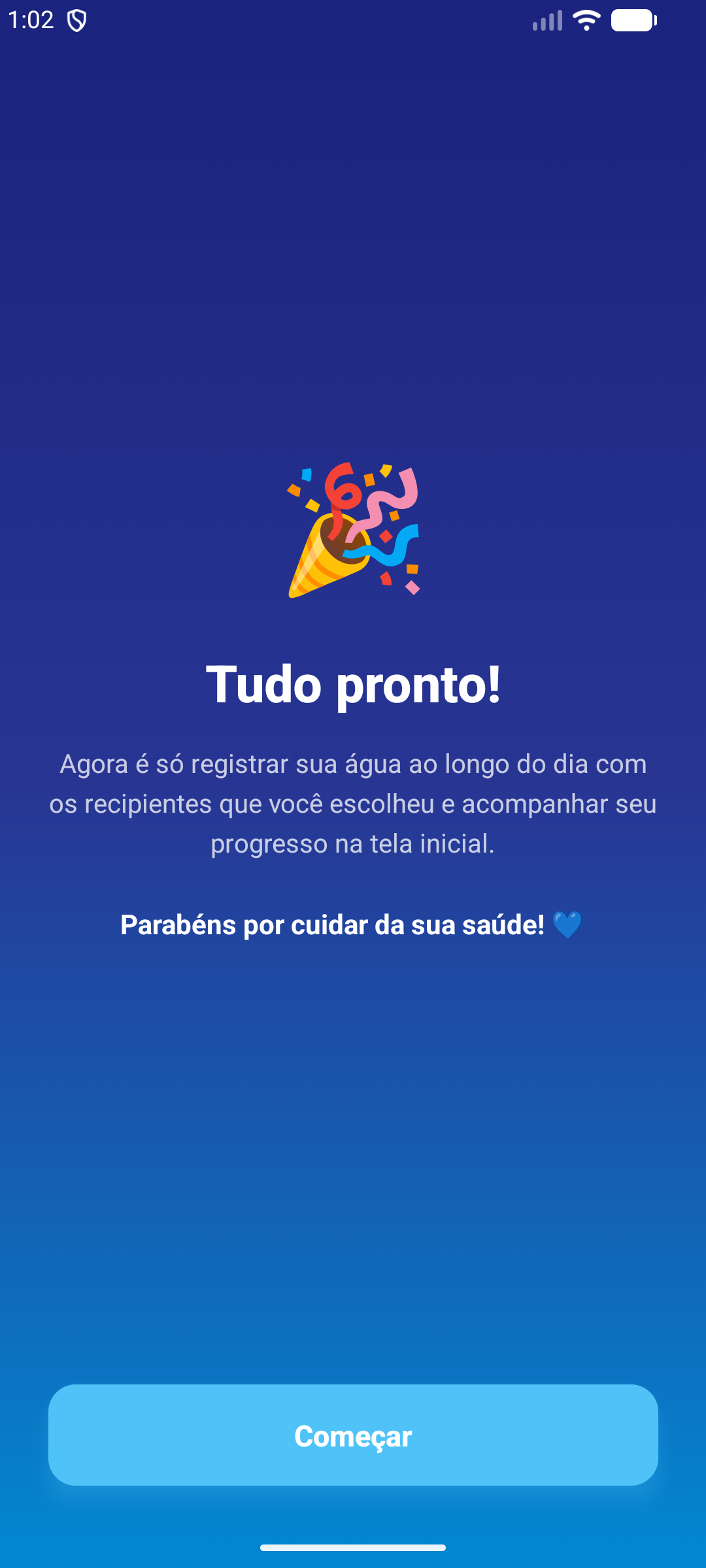
Personalized onboarding
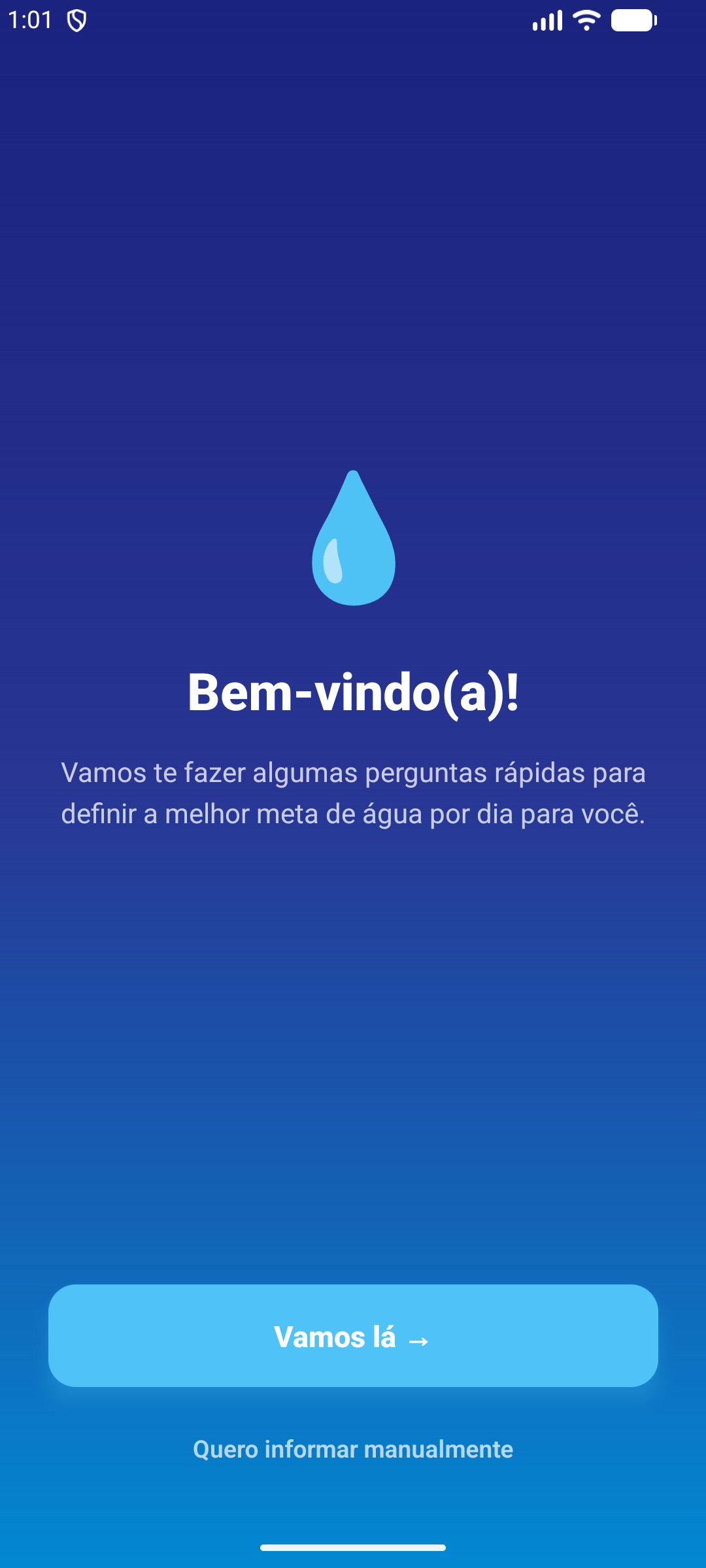
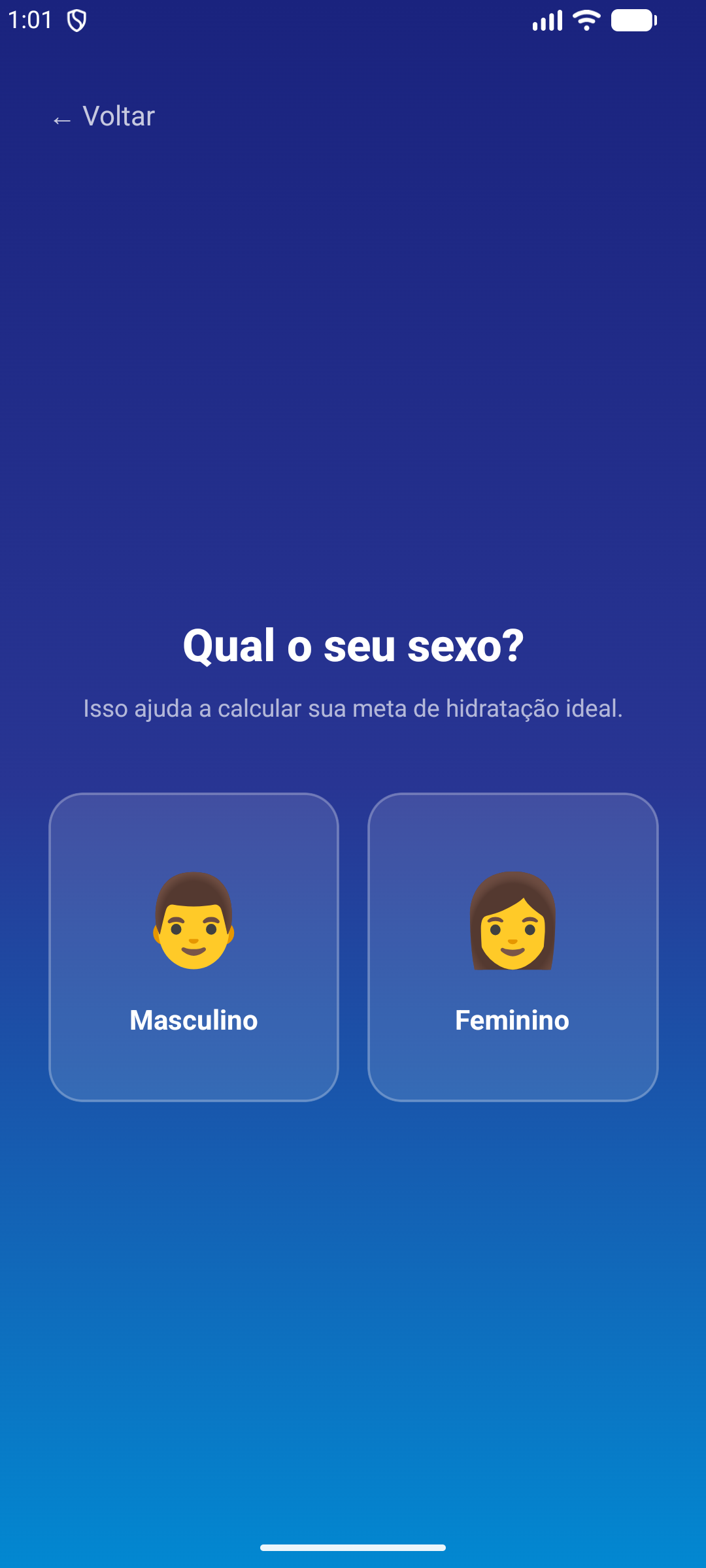
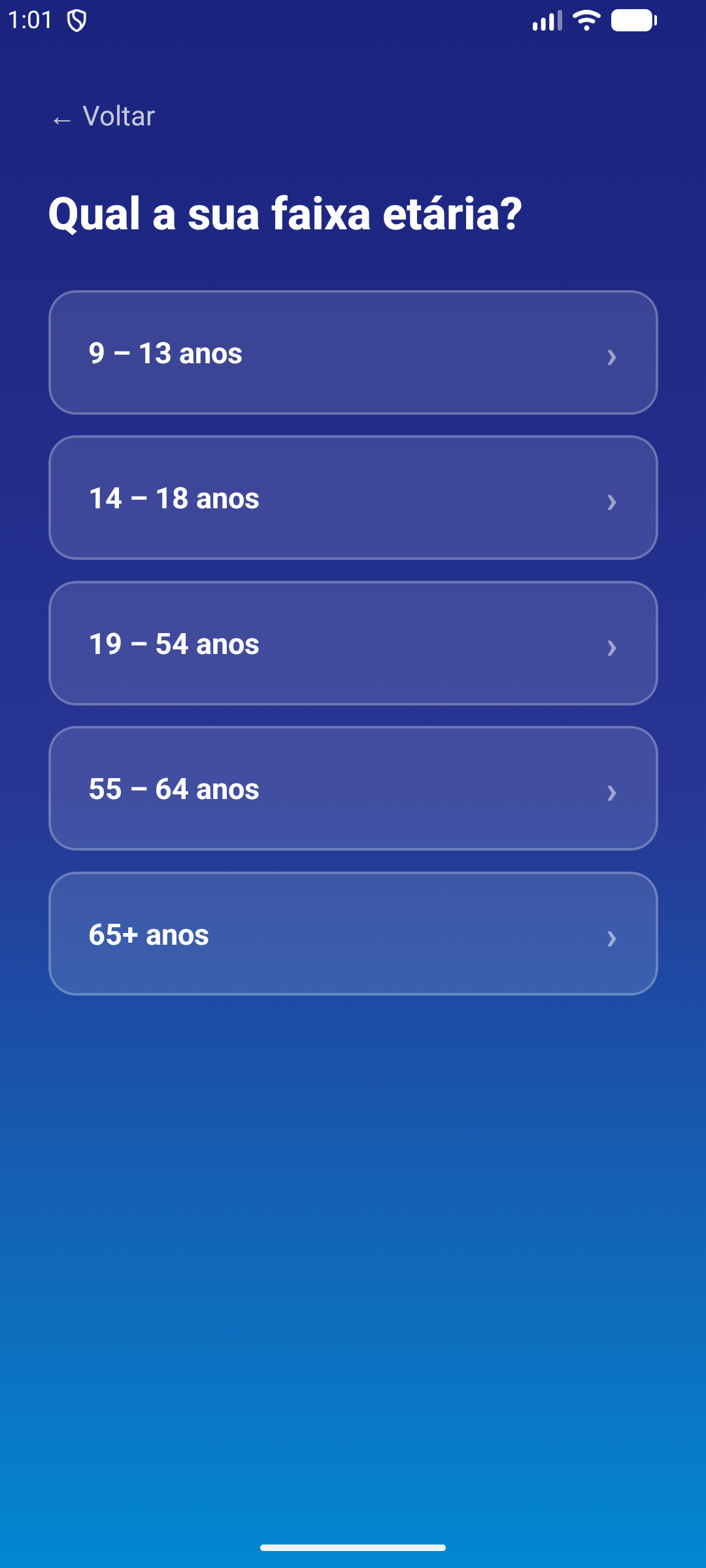
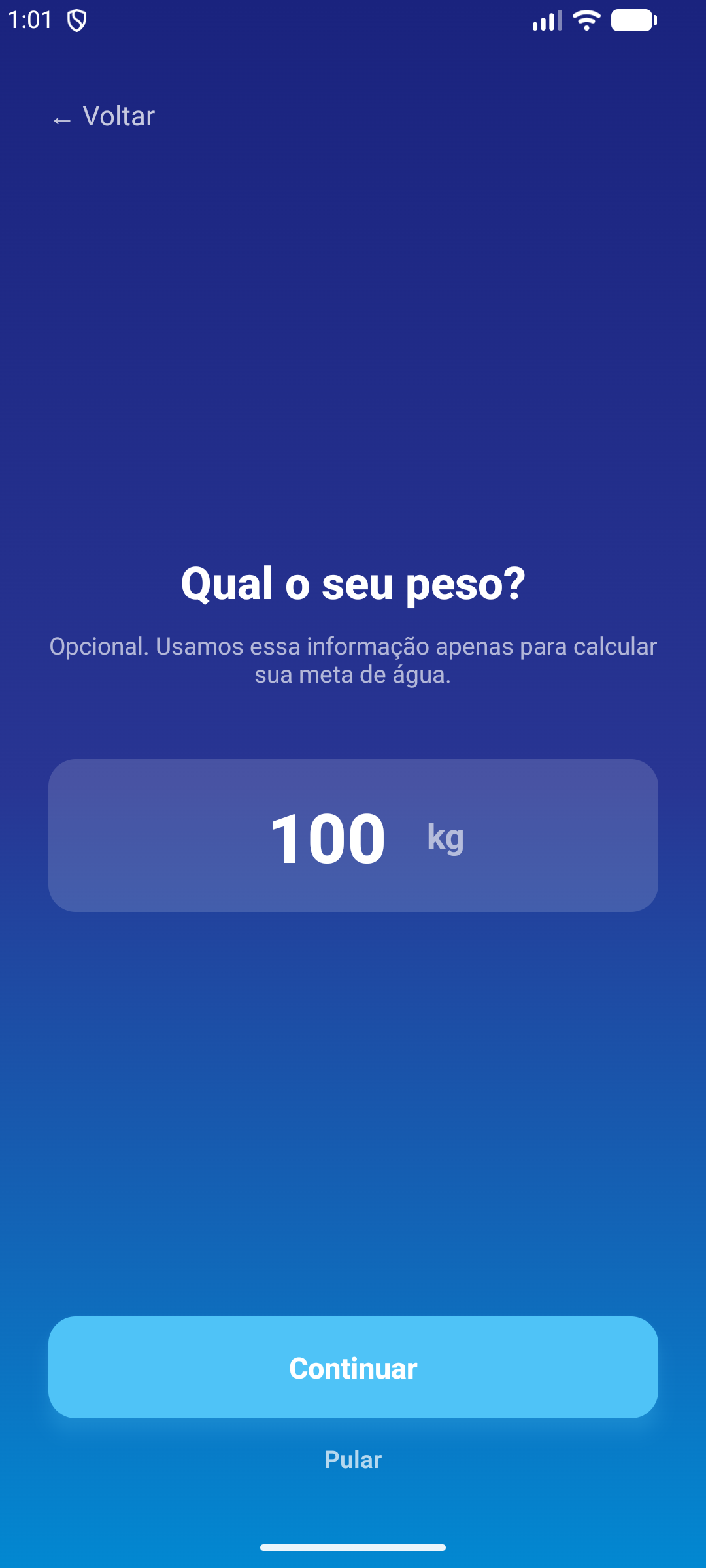
The user's first contact with the app is a short questionnaire:
- Quick questions about sex, age range, and weight (weight is optional);
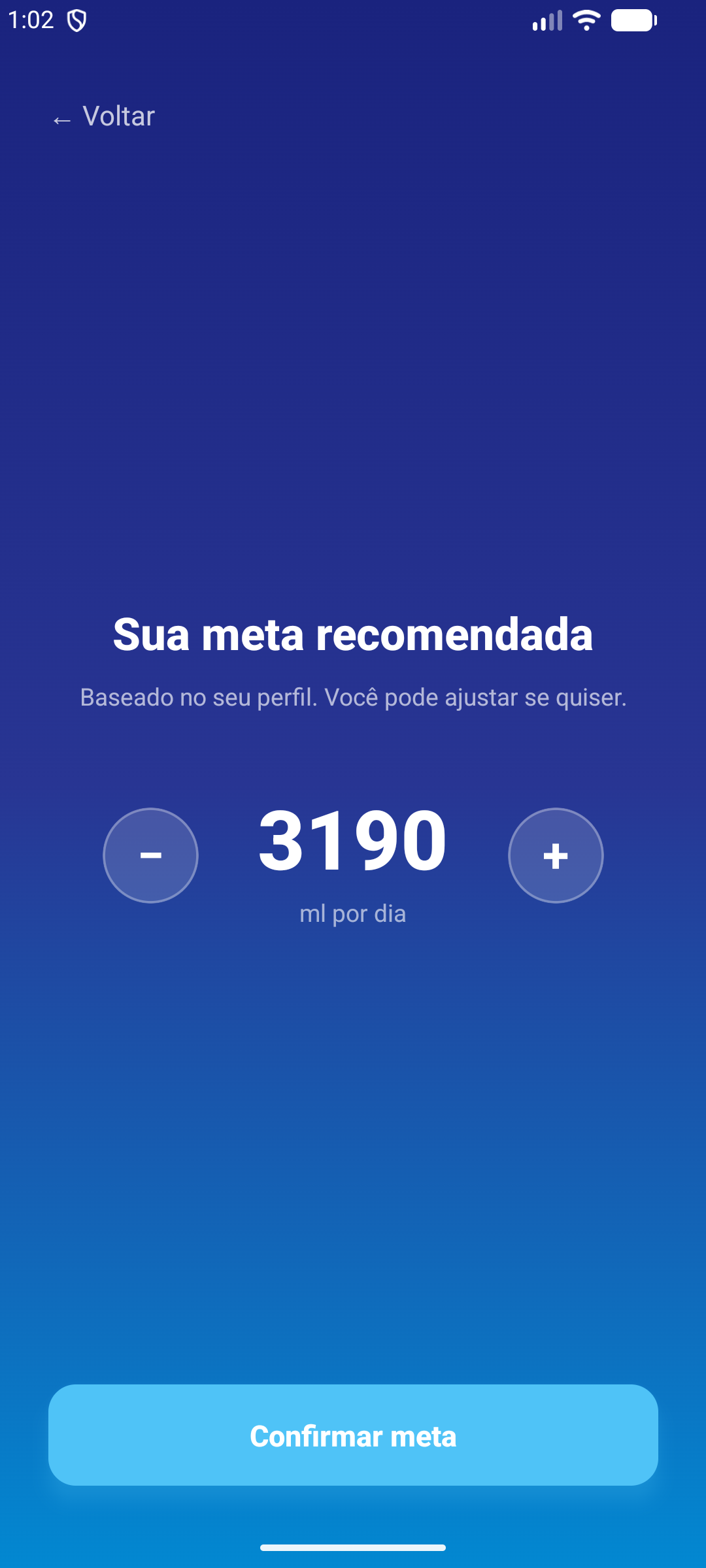
- Automatic calculation of a recommended daily water goal, with the option to adjust it manually;
- Selection of favorite containers (cups, bottles, squeeze bottles) for everyday use;
- Option to skip the questionnaire and set the goal manually.
Home screen
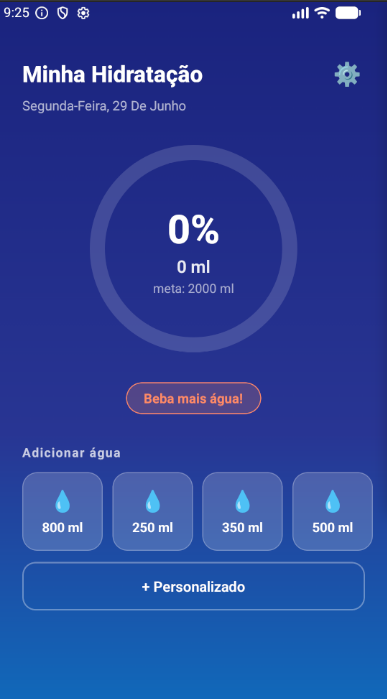
- Circular indicator with the percentage and volume already consumed for the day;
- Daily goal shown front and center;
- Quick-action buttons to log preset volumes with a single tap;
- + Custom button to enter any amount manually;
- I exercised button to boost the goal for the current day only, replenishing fluids lost during the workout.
Exercise-based goal boost
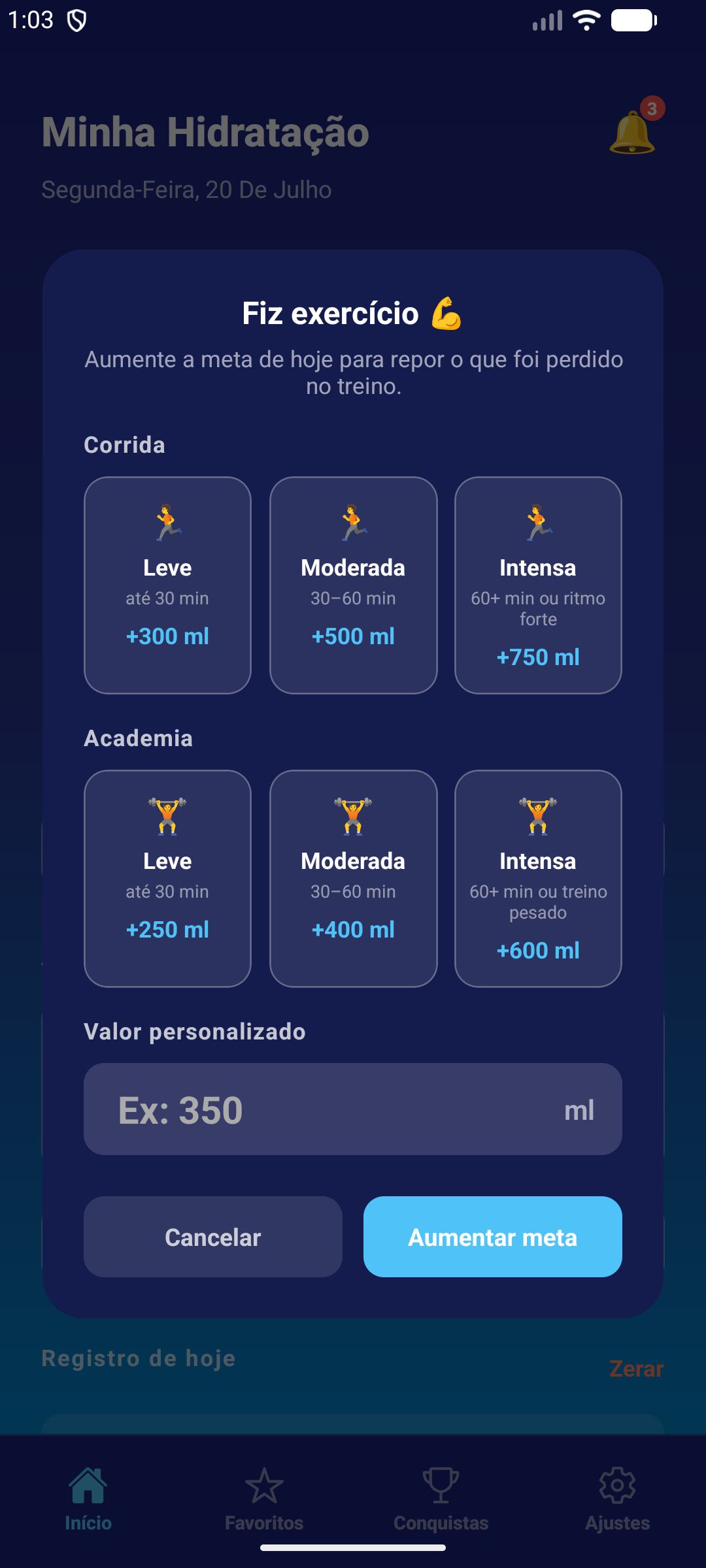
After a workout, the user can replenish lost fluids without changing the goal on other days:
- Quick recommended values for running (light, moderate, intense) and gym workouts (light, moderate, intense);
- Field to enter a custom replenishment amount;
- The adjustment applies only to the current day — the goal returns to normal the next day;
- Indicator on the home screen showing how much the goal was boosted.
Favorites
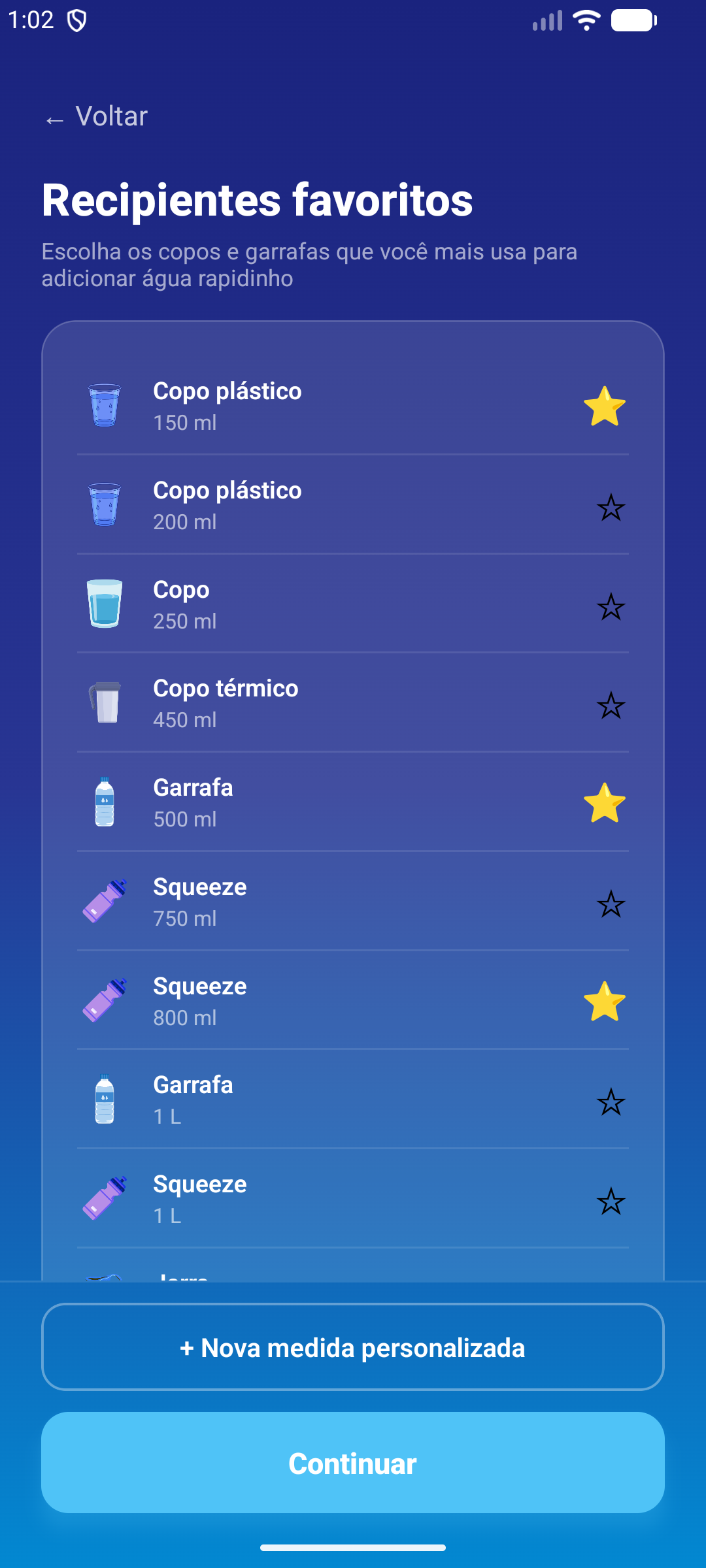
- Full list of containers (cups, bottles, squeeze bottles, jugs) to mark as favorites;
- Favorites show up as shortcuts on the home screen and in the widget;
- Creation of custom measurements with their own icon and volume.
Achievements
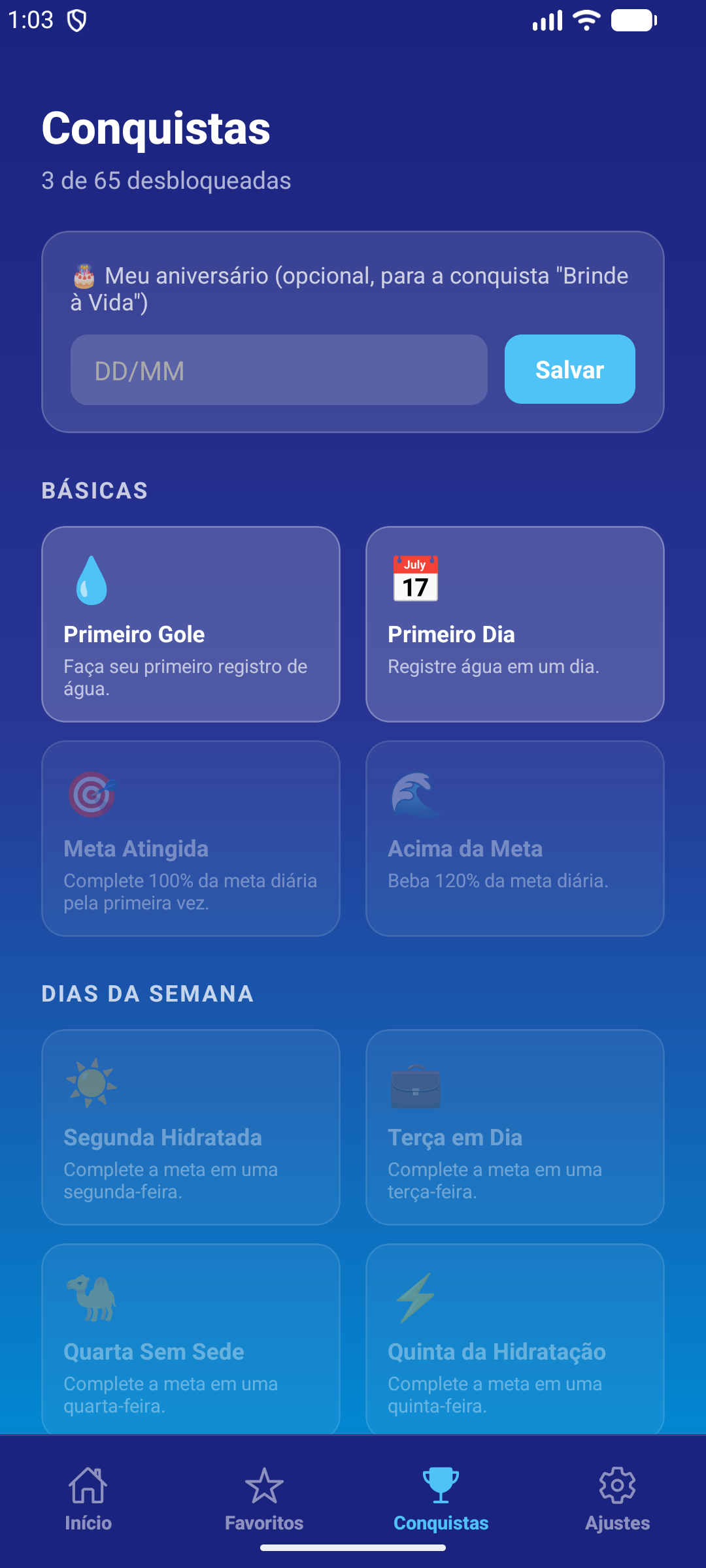
- Trophy system that gamifies app usage (logging, goals reached, weekly streaks, among others);
- Dedicated screen showing progress on unlocked achievements;
- Optional birthday field to unlock the special "Toast to Life" achievement.
Notifications
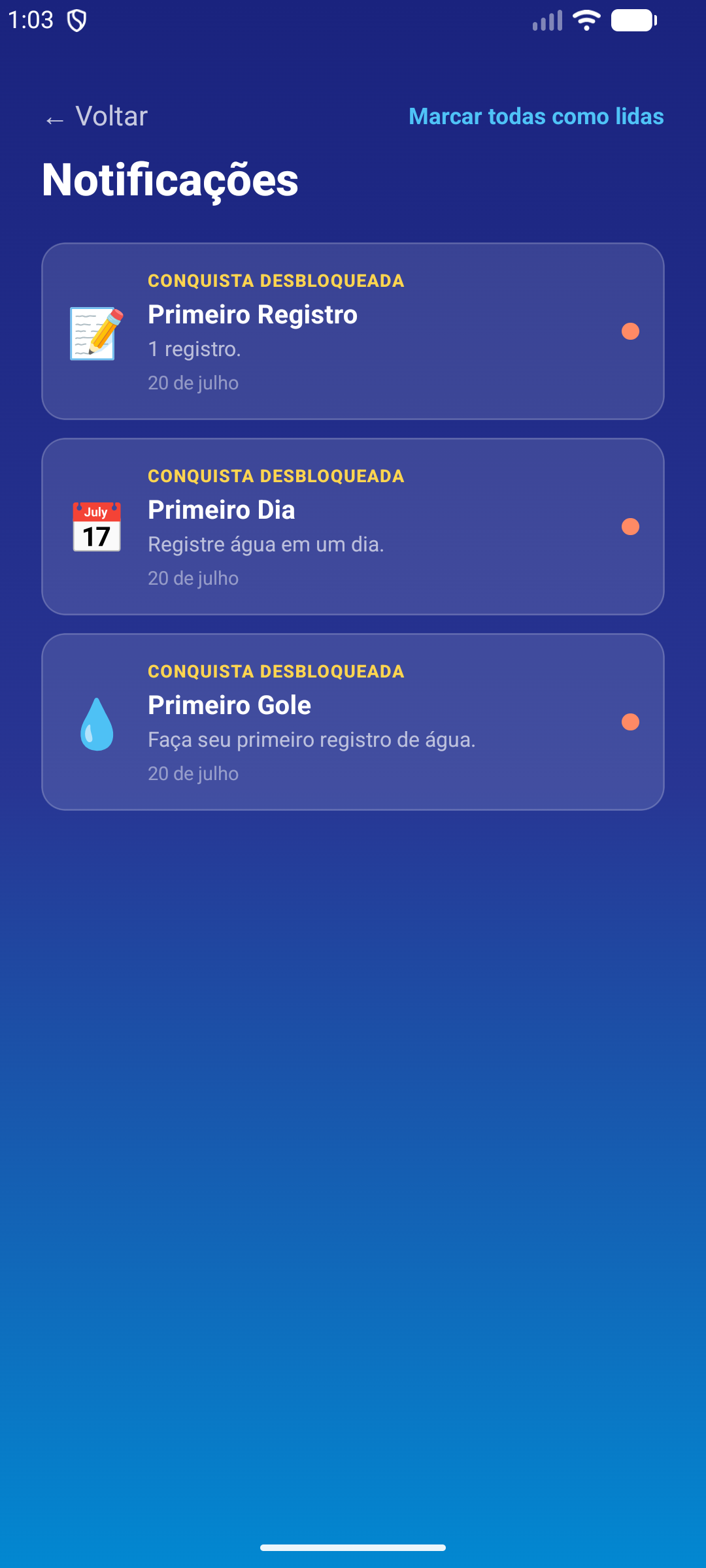
- Notification center with hydration reminders and unlocked achievements;
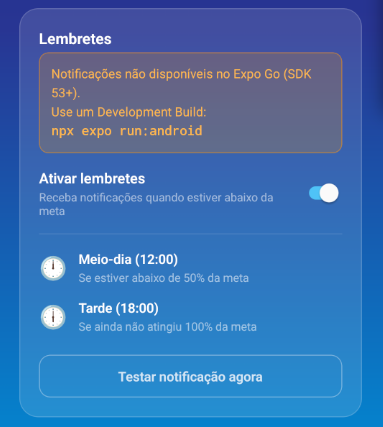
- Alert at noon if the user is below 50% of the goal;
- Alert in the afternoon (6pm) if the goal still hasn't been reached;
- Button to test the notification immediately;
- Sharing unlocked achievements as an image.
Settings
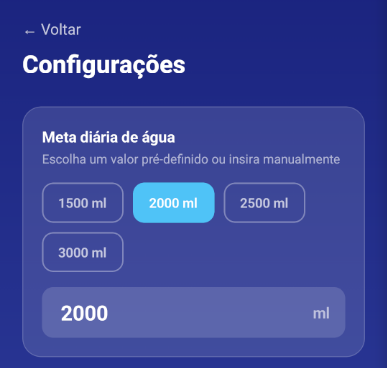
- Setting the daily water goal (quick options: 1500, 2000, 2500, or 3000 ml);
- Manually entering a custom goal;
- Managing the quick-action buttons — ideal for people using a fixed-volume cup or bottle.
Tracking
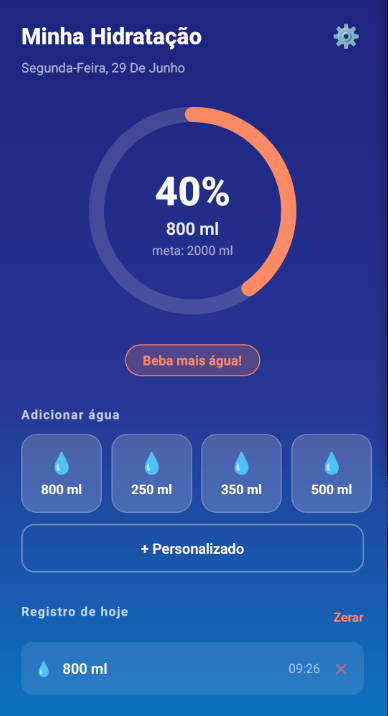
- Daily history with every log entry and the exact time it was recorded;
- Visual indication of how much is left to reach the goal;
- Option to remove individual entries or reset the day;
- Entries automatically reset every new day.
Android widget
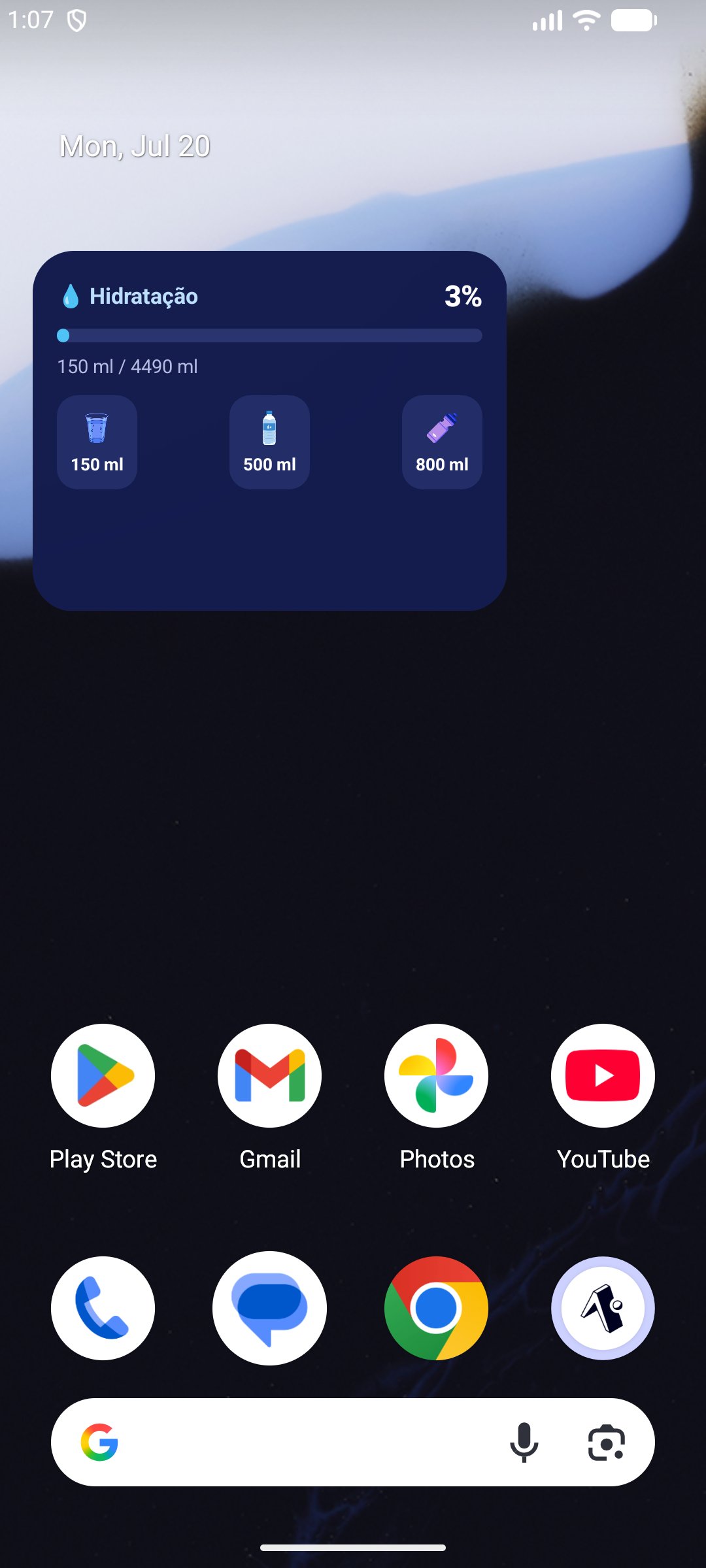
- Home-screen widget showing the day's progress and quick access to favorite containers;
- Adding water directly from the widget, without opening the app.
Technologies
- React Native + Expo (~54);
- React Navigation — tab and stack navigation;
- expo-notifications — scheduled local reminders;
- @react-native-async-storage/async-storage — local data persistence;
- expo-linear-gradient — UI gradients;
- react-native-svg — circular progress indicator;
- react-native-android-widget — hydration widget on the Android home screen;
- react-native-view-shot + expo-sharing — sharing achievements as an image.
How to run it
# Install dependencies
npm install

# Start the development server
npx expo start
Testing notifications and the widget requires a Development Build instead of Expo Go:
# Android
npx expo run:android

# iOS
npx expo run:ios
Full source code available at github.com/marcelo3macedo/water-drink.
💡 Need technical support to architect resilient, scalable systems?
I'm Marcelo Alberico Macedo, Senior Software Engineer and Architect. I hold an MBA from USP/Esalq and design microservices ecosystems, messaging, and high-availability platforms for enterprise-grade products.