Building an Intuitive Experience for Chatbot Construction
As new paths, questions, integrations, and business rules are added, it becomes increasingly difficult to visualize the chatbot's complete behavior through form-based configuration or config files alone.
Level: Intermediate | Reading Time: 3 min
ChatFlowBuilder Composer: Building an Intuitive Experience for Chatbot Construction
Introduction
Creating service flows for chatbots can quickly become a complex task.
As new paths, questions, integrations, and business rules are added, it becomes increasingly difficult to visualize the chatbot's complete behavior through form-based configuration or config files alone.
The tool's goal is to let any user — technical or not — visually build service flows through a simple, intuitive, and highly interactive interface.
Instead of thinking in code, the user starts thinking in conversation.
The Challenge
Imagine needing to create a flow like:
Mensagem de Boas-vindas
        ↓
Perguntar Nome
        ↓
Perguntar Setor
        ↓
Se Atendimento
        → Transferir Atendimento

Se Suporte
        → Transferir Suporte

Caso contrário
        → Transferir Geral
When this flow is represented only through forms or lists, visualizing it becomes difficult. The user loses context.
Maintenance becomes more complex. And small errors can go unnoticed.
Visual Construction with Boxes
The main proposal of the ChatFlowBuilder Composer is to use a visual, block-based approach.
Each chatbot action is represented by an independent box.
Examples:
- Message
- Question
- Variable
- HTTP Request
- Condition
- Transfer to Operator
The user can see the entire flow just by looking at the canvas.
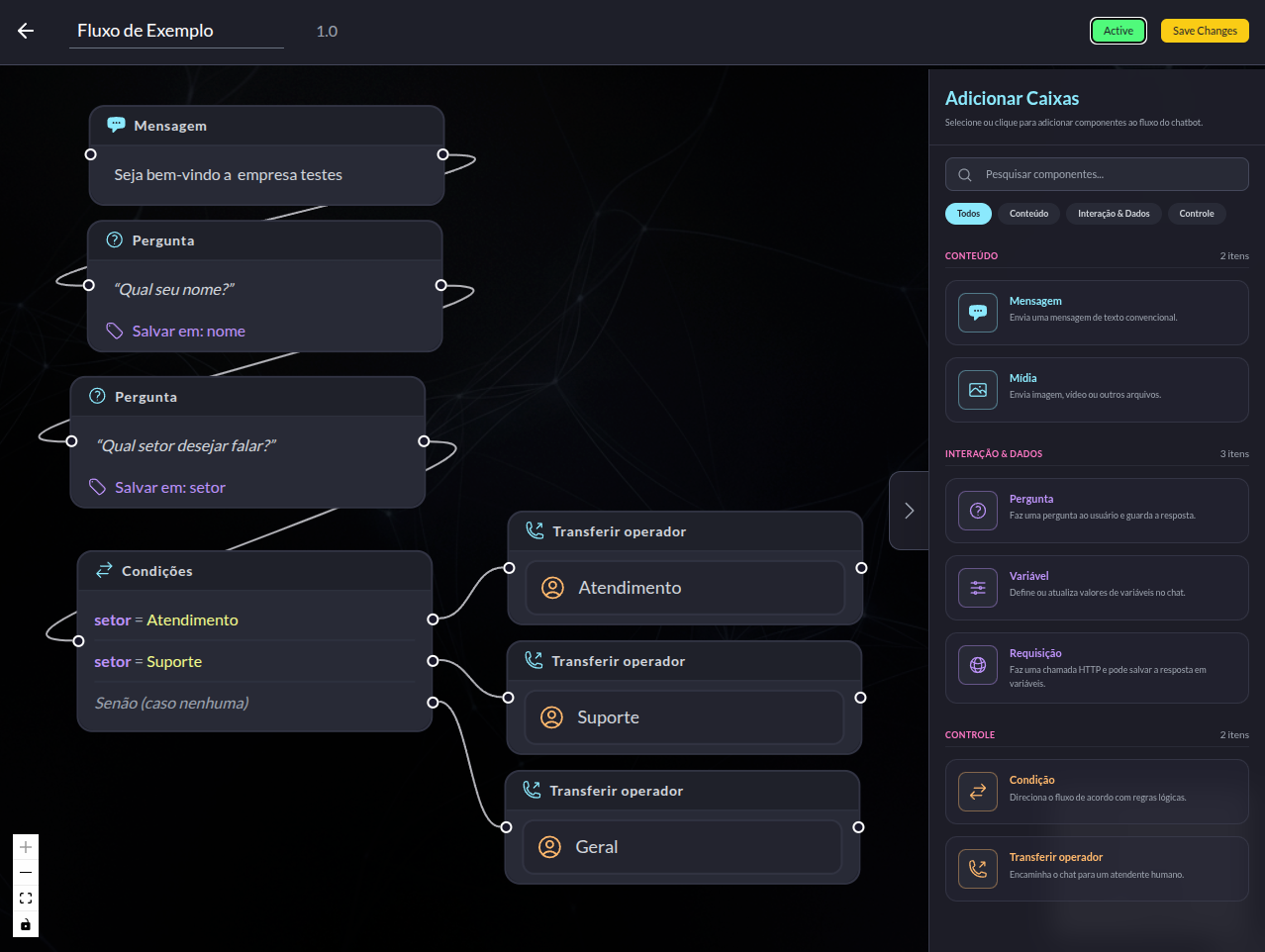
Visual Connections Between Components
Beyond the boxes, the connections between them play a fundamental role.
Each connection represents the next step in the conversation.
Example:
Mensagem
    ↓
Pergunta
    ↓
Condição
   ↙ ↓ ↘
 A   B  C
This visualization makes it easier to:
- Understand the flow
- Identify errors
- Maintain it in the future
- Train new users
The flow becomes understandable in seconds.
Smart, Self-Explanatory Boxes
Each block displays important information directly in the interface.
For example:
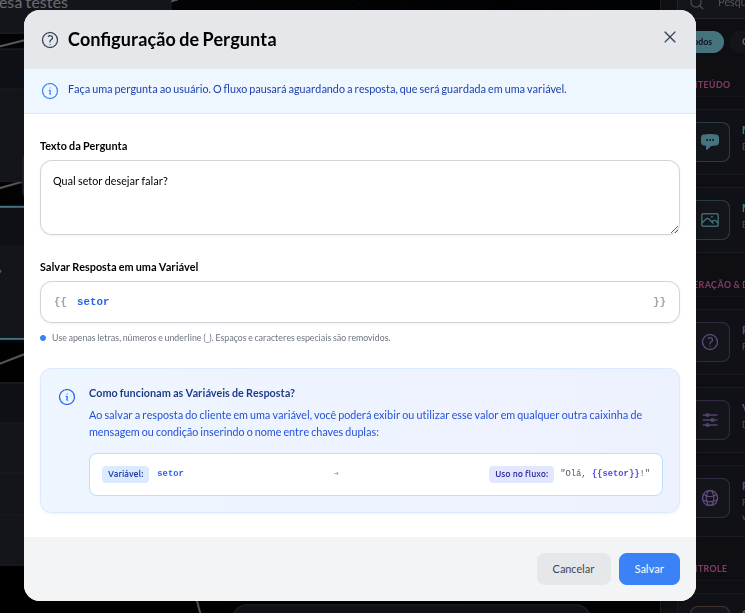
A question can display:
Qual setor deseja falar?
as well as:
Salvar em: setor
This way the user quickly understands:
- What will be asked
- Where the answer will be stored
- How the variable can be used later
This significantly reduces the learning curve.
Configuration Through Detailed Modals
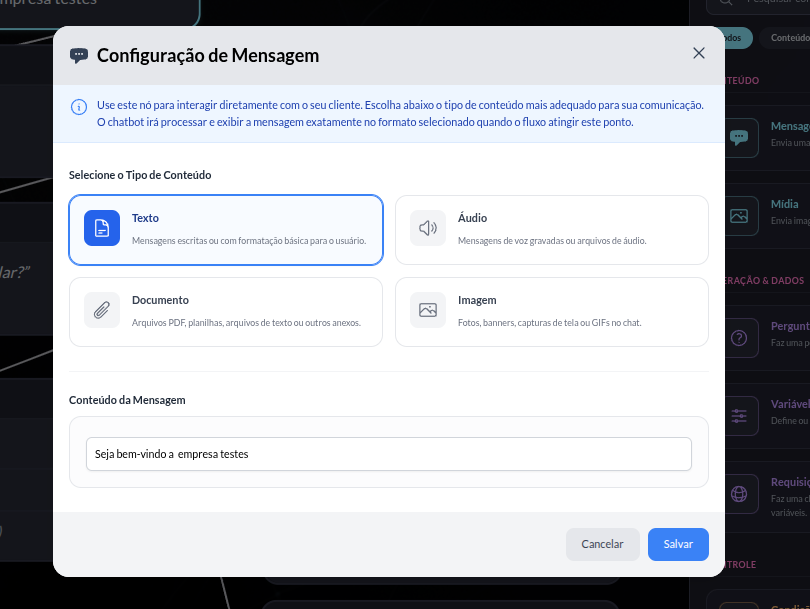
Clicking on a box opens a dedicated configuration screen.
Each modal has:
- Clear explanations
- Organized fields
- Usage examples
- Validations
The goal is to turn configuration into a guided experience.
Features That Improve Productivity
When building large flows, small features make a huge difference.
That's why the Composer includes features such as:
Clone Box
Allows quickly duplicating similar components.
Example:
Pergunta Nome
Can be cloned to create:
Pergunta Telefone
with just a few adjustments.
Delete Box
Quick removal of unnecessary components.
Keeping the flow clean and organized.
Initial State
The flow has a clearly defined entry point.
This makes it easier to:
- Understand the journey
- Run the chatbot
- Navigate visually
The user knows exactly where the conversation begins.
Benefits of the Visual Approach
Using a flow-based editor brings several advantages:
- Higher productivity
- Shorter learning curve
- Easier maintenance
- Fewer configuration errors
- Better visualization of the customer journey
- Easier collaboration for multidisciplinary teams
In many cases, simply observing the flow is enough to spot bottlenecks and opportunities for improvement.
💡 Need technical support to architect resilient, scalable systems?
I'm Marcelo Alberico Macedo, Senior Software Engineer and Architect. I hold an MBA from USP/Esalq and design microservices ecosystems, messaging, and high-availability platforms for enterprise-grade products.